How to Watch Spider-Man: Brand New Day in Spanish at the Movie Theater
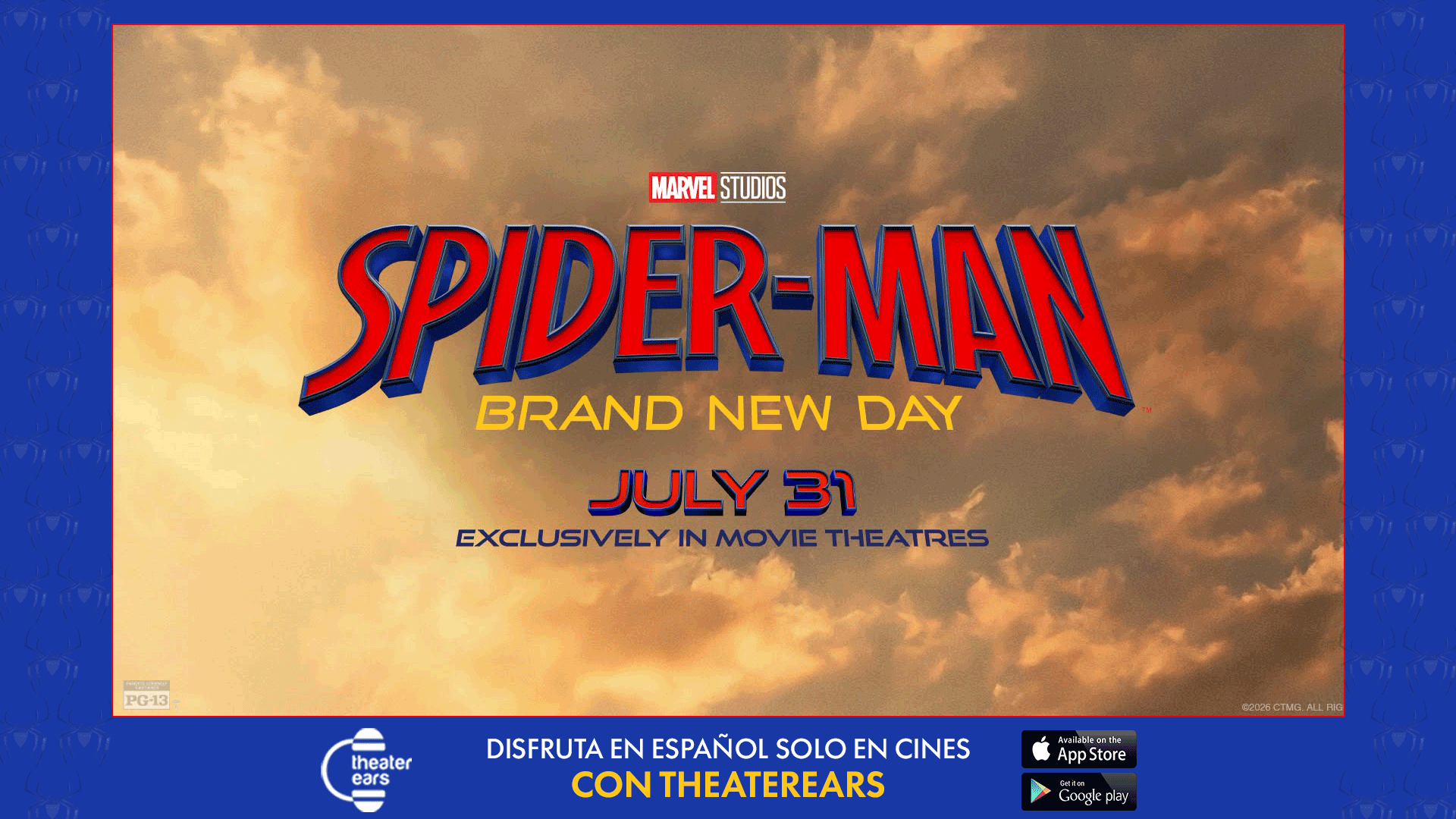
You do not have to wait for a Spanish-dubbed streaming release to enjoy Spider-Man: Brand New Day in Spanish.
Spanish-speaking moviegoers in the United States can listen to the movie’s Spanish-language audio through the TheaterEars app while attending a regular theatrical showing. The Spanish track plays privately through the viewer’s own wired or Bluetooth headphones, while everyone else in the auditorium continues hearing the theater’s regular soundtrack.
That means English- and Spanish-speaking friends and family members can buy tickets for the same showtime, sit together and experience the movie in their preferred languages.
Spider-Man: Brand New Day opened exclusively in movie theaters on July 31, 2026. It is the fourth solo Spider-Man movie starring Tom Holland and continues Peter Parker’s story after the life-changing conclusion of Spider-Man: No Way Home. Sony Pictures currently lists the movie as playing exclusively in theaters.
This guide explains how to watch Spider-Man: Brand New Day in Spanish with TheaterEars, what you need to bring, how the app synchronizes with the movie and what to do if the audio does not immediately begin playing.
Is Spider-Man: Brand New Day Available in Spanish?
Yes. Spanish-speaking audiences have two potential ways to watch Spider-Man: Brand New Day in Spanish at a movie theater.
Some theaters may schedule dedicated Spanish-dubbed showings. These presentations play the Spanish soundtrack through the auditorium’s main speakers for everyone attending the screening.
The availability of those showings depends on the city, theater chain and individual location. A theater near you may offer several Spanish-language showtimes, only one inconveniently scheduled showing or no dedicated dubbed presentation at all.
TheaterEars provides a more flexible option.
With TheaterEars, you can attend a regular theatrical presentation and listen to synchronized Spanish audio through your phone and headphones. TheaterEars has confirmed Spanish-language viewing options for Spider-Man: Brand New Day and instructs moviegoers to check the app for the current track and showtime availability.
What Is TheaterEars?
TheaterEars is a mobile application that allows moviegoers to hear supported theatrical releases in Spanish through their phones and earbuds.
The app is available for compatible iPhone and Android devices. It uses the phone’s microphone to recognize the movie playing in the auditorium and synchronize the Spanish track with the image on the theater screen.
The process does not replace or interfere with the theater’s sound system.
The auditorium continues playing its normal soundtrack. Only the TheaterEars user hears the Spanish audio, which is delivered privately through connected headphones.
This setup can be particularly useful for bilingual families. Parents or grandparents who prefer Spanish can use TheaterEars while children, relatives or friends listen to the original English soundtrack.
Everyone attends the same showing.
How to Watch Spider-Man: Brand New Day in Spanish With TheaterEars
The complete setup can be divided into three stages: preparing the app, loading the movie and synchronizing the audio inside the theater.
Step 1: Download TheaterEars
Download the TheaterEars app before going to the movie theater.
The app is available through the Apple App Store and Google Play for compatible iPhone and Android devices. TheaterEars is free to download and use.
Do not wait until you are seated in the auditorium to install it. Theater Wi-Fi can be slow, cellular reception may be limited and the registration process is easier to complete before the lights go down.
After installing the app, follow the onscreen instructions to create and configure your account.
Step 2: Allow Location and Microphone Access
TheaterEars needs permission to access your phone’s location and microphone.
Location access allows the app to verify that you are inside a movie theater. TheaterEars is designed for theatrical use and does not work as a home-viewing service.
Microphone access allows the app to listen to the movie’s soundtrack and identify the correct position in the film. It then keeps the Spanish track synchronized with the presentation.
If either permission is disabled, the app may be unable to begin or maintain playback.
You can review those permissions in your phone’s settings before leaving home.
Step 3: Find Spider-Man: Brand New Day
Open the app and search for Spider-Man: Brand New Day.
Confirm that you are selecting the 2026 movie starring Tom Holland. The film is directed by Destin Daniel Cretton and also stars Zendaya, Sadie Sink, Jacob Batalon, Jon Bernthal, Tramell Tillman, Michael Mando and Mark Ruffalo.
Select Spanish as your preferred language.
Each supported movie may not be offered in every available language, so the individual listing inside the app should be treated as the most current source for track availability.
Step 4: Select Your Theater and Exact Showtime
Choose the movie theater where you purchased your ticket and select the exact showtime you plan to attend.
This step matters because TheaterEars only operates inside a movie theater during scheduled presentations. Selecting a different location or time could prevent the app from validating or starting the track correctly.
Check the following details carefully:
Theater name and location
Screening date
Starting time
Movie title
Spanish language selection
The format—such as Dolby Cinema, ScreenX or a standard auditorium—normally does not change the basic TheaterEars process, but your selected showtime must correspond with the ticket you purchased.
Step 5: Press “Get Track”
After choosing the correct theater, language and showtime, press the Get Track button.
This loads the movie audio onto your phone. With a solid internet connection, TheaterEars says the process generally takes between one and five minutes.
Load the track before arriving at the theater whenever possible.
You need an internet connection to download the application and obtain the movie track. Once the track is on your phone, however, TheaterEars says you do not need an active internet connection while watching the film.
Do not delete the downloaded track before your showing. If it disappears from the device, return to the selected date and showtime and load it again.
Step 6: Bring Headphones or Earbuds
Bring a comfortable pair of headphones that work with your phone.
TheaterEars supports both wired and Bluetooth headsets.
Wireless earbuds offer convenience, but they introduce an additional battery requirement. Charge both your phone and earbuds before leaving home. A charging case does not help once the movie has started and the earbuds are in use.
Wired headphones avoid battery and Bluetooth-connection problems, although some newer phones require an adapter.
Test your headphones before entering the auditorium. Confirm that:
Both sides produce sound.
The volume controls work.
Bluetooth is connected to the correct device.
No other phone or tablet is trying to connect.
Your phone has enough battery for the entire movie.
When Should You Press Play?
Open TheaterEars and press play before the feature begins.
TheaterEars recommends pressing the play button near the start of the movie and allowing the app time to recognize the auditorium audio. Normal synchronization takes approximately 20 to 30 seconds.
Do not panic if the Spanish audio does not start the instant the studio logo appears.
The app must first hear enough of the movie to identify the correct point. Keep your phone’s microphone uncovered and allow the synchronization process to finish.
Once the audio begins, adjust the volume to a comfortable level. You can use the physical buttons on the phone or the volume control on the TheaterEars synchronization screen.
Does TheaterEars Play During the Trailers?
The downloaded track is designed to synchronize with the feature presentation, not the theater’s advertisements and previews.
You can have the app ready while the trailers are playing, but the Spanish movie audio will not begin until TheaterEars recognizes the actual film.
The exact moment may vary slightly depending on the theater’s presentation. The app’s synchronization technology is intended to locate the correct position rather than requiring the viewer to start a track at an exact second.
Can You Arrive After the Movie Starts?
Yes, although arriving on time will provide a better experience.
TheaterEars is designed to identify the correct point in the movie even when the user begins playback after the feature has started. Open the app, select the track and press play. It should move to the corresponding position once it recognizes the theater audio.
That feature is useful if parking, concession lines or ticket issues make you late.
It should not be treated as a reason to arrive after the opening scene. Brand New Day continues directly from the emotional consequences of No Way Home, and missing the beginning could make Peter Parker’s situation more difficult to follow.
What Should You Do With Your Phone During the Movie?
After synchronization, reduce the screen brightness and place the phone somewhere secure.
Do not completely cover the microphone. TheaterEars periodically listens to the auditorium audio to confirm that the track remains in the correct position.
Avoid texting, browsing or using other applications during the movie. TheaterEars recommends keeping the phone dedicated to the app while playback is active.
This also prevents your screen from distracting other moviegoers.
Turn off unnecessary notifications or activate an appropriate focus mode before the movie begins. Make sure that the setting does not disable Bluetooth or interfere with the app’s microphone access.
What Happens If You Leave the Auditorium?
TheaterEars can continue playing while you remain inside the movie-theater building.
If you leave the auditorium to use the restroom or purchase concessions, the track may continue in real time. When returning, you can use the resynchronization control if the audio is no longer aligned with the picture.
Remember that the movie itself does not pause.
Leaving during an important scene means you may hear dialogue through the headphones without seeing what is happening. It is better to use the restroom before the feature begins.
What to Do If the Spanish Audio Does Not Synchronize
Most synchronization issues can be addressed without leaving the auditorium.
First, wait at least 20 to 30 seconds. That is the normal synchronization period.
If the audio still does not begin:
Confirm that location and microphone permissions are enabled.
Make sure you selected the correct theater and showtime.
Check that your headphones are properly connected.
Increase the phone and app volume.
Make sure the microphone is not blocked.
Close TheaterEars completely.
Reopen the app and press play again.
TheaterEars is designed to resynchronize automatically. If synchronization does not occur within several minutes, the company recommends fully closing and restarting the app rather than merely returning to the phone’s home screen.
For continuing technical problems, TheaterEars provides support through support@theaterears.com.
Can TheaterEars Be Used at Home?
No.
TheaterEars verifies that the user is inside a movie theater and operates during scheduled theatrical showtimes. It is not a replacement for a Spanish soundtrack on a streaming, digital, Blu-ray or television release.
Spider-Man: Brand New Day is currently playing exclusively in movie theaters, and Sony has not listed it as a home-entertainment release.
When the film eventually becomes available digitally or through streaming, those services may provide their own language options. Those future options are separate from the TheaterEars theatrical experience.
Does TheaterEars Work Outside the United States?
TheaterEars currently states that its service is available in the United States. It has not yet announced general international availability.
Moviegoers outside the United States should search local theater listings for screenings identified as Spanish dubbed, doblada al español, español latino or español.
Availability may vary significantly by country and theater chain.
Can a Whole Family Listen in Spanish?
Each listener should use a compatible phone, the TheaterEars app and their own headphones.
Sharing one pair of earbuds between multiple viewers is uncomfortable and can make it difficult to hear the full stereo track. It may also prevent viewers from sitting naturally throughout the film.
A mixed-language group does not need every person to use the app.
For example:
Grandparents can listen in Spanish through TheaterEars.
Parents can listen to the theater’s English soundtrack.
Bilingual children can choose whichever language they prefer.
Everyone can sit together during the same showing.
That shared experience is one of the primary advantages of the app. Families do not have to choose between attending together and understanding the movie in their preferred language.
Should You Watch No Way Home First?
Yes. Spider-Man: No Way Home is the one movie viewers should watch—or at least understand—before seeing Brand New Day.
At the end of No Way Home, Doctor Strange’s spell causes everyone to forget Peter Parker. MJ and Ned no longer remember their relationship with him, and Peter begins a new life without the support of his friends, Aunt May or Stark technology.
Brand New Day begins four years later. Peter is now an adult living alone and fighting crime full-time as Spider-Man. The pressure of watching his former friends continue their lives without him contributes to a transformation he may not be able to control.
Watching the complete Tom Holland trilogy provides additional context:
Spider-Man: Homecoming
Spider-Man: Far From Home
Spider-Man: No Way Home
Spider-Man: Brand New Day
A complete MCU marathon is not required.
TheaterEars Checklist for Spider-Man: Brand New Day
Complete this checklist before leaving for the theater:
Download and register for TheaterEars.
Confirm that Spider-Man: Brand New Day appears in the app.
Select Spanish.
Choose the correct theater and showtime.
Press “Get Track.”
Wait for the audio to finish loading.
Charge your phone.
Charge or test your headphones.
Enable location access.
Enable microphone access.
Bring your movie ticket.
Arrive before the feature begins.
Taking care of those steps at home reduces the chance that you will need to troubleshoot in a dark auditorium.
Frequently Asked Questions
Can I watch Spider-Man: Brand New Day in Spanish?
Yes. You can search for a dedicated Spanish-dubbed theatrical showing or use TheaterEars to hear Spanish audio through headphones during a regular supported presentation.
Is TheaterEars free?
TheaterEars states that the app is free to download and use. You must still purchase a normal movie ticket from the theater.
Does TheaterEars work with AirPods?
AirPods are Bluetooth earbuds, and TheaterEars supports Bluetooth headsets. Connect them to your phone before the film begins.
Do I need internet during the movie?
No active internet connection is required after the movie track has been loaded. You do need internet access to download the app and obtain the track beforehand.
How long does the track take to load?
TheaterEars estimates that loading a movie normally takes between one and five minutes with a solid internet connection.
How long does synchronization take?
Normal synchronization takes approximately 20 to 30 seconds after the app begins listening to the movie.
Will Spanish audio play through the theater speakers?
No. TheaterEars sends the Spanish audio through your connected headphones. The theater continues playing its regular soundtrack for the rest of the audience.
Can my English-speaking family attend the same showing?
Yes. They can listen to the auditorium’s English soundtrack while you hear Spanish privately through TheaterEars.
Can I use TheaterEars for a movie at home?
No. TheaterEars is designed to operate inside movie theaters during scheduled presentations.
Is Spider-Man: Brand New Day streaming?
Sony currently identifies the movie as playing exclusively in theaters.
The Bottom Line
The easiest way to watch Spider-Man: Brand New Day in Spanish without separating from English-speaking friends or family is to prepare TheaterEars before going to the theater.
Download the app, select the movie, choose Spanish, confirm your theater and showtime, and load the track onto your phone. Bring charged headphones, enable microphone and location access, and press play when the feature begins.
The app should recognize the movie and synchronize the Spanish track within approximately 20 to 30 seconds.
Peter Parker may be entering a life where the people closest to him no longer remember who he is, but language does not have to separate the people attending his new adventure.
With TheaterEars, Spanish- and English-speaking audiences can experience Spider-Man: Brand New Day together—during the same show, in the same auditorium and in the language each viewer prefers.