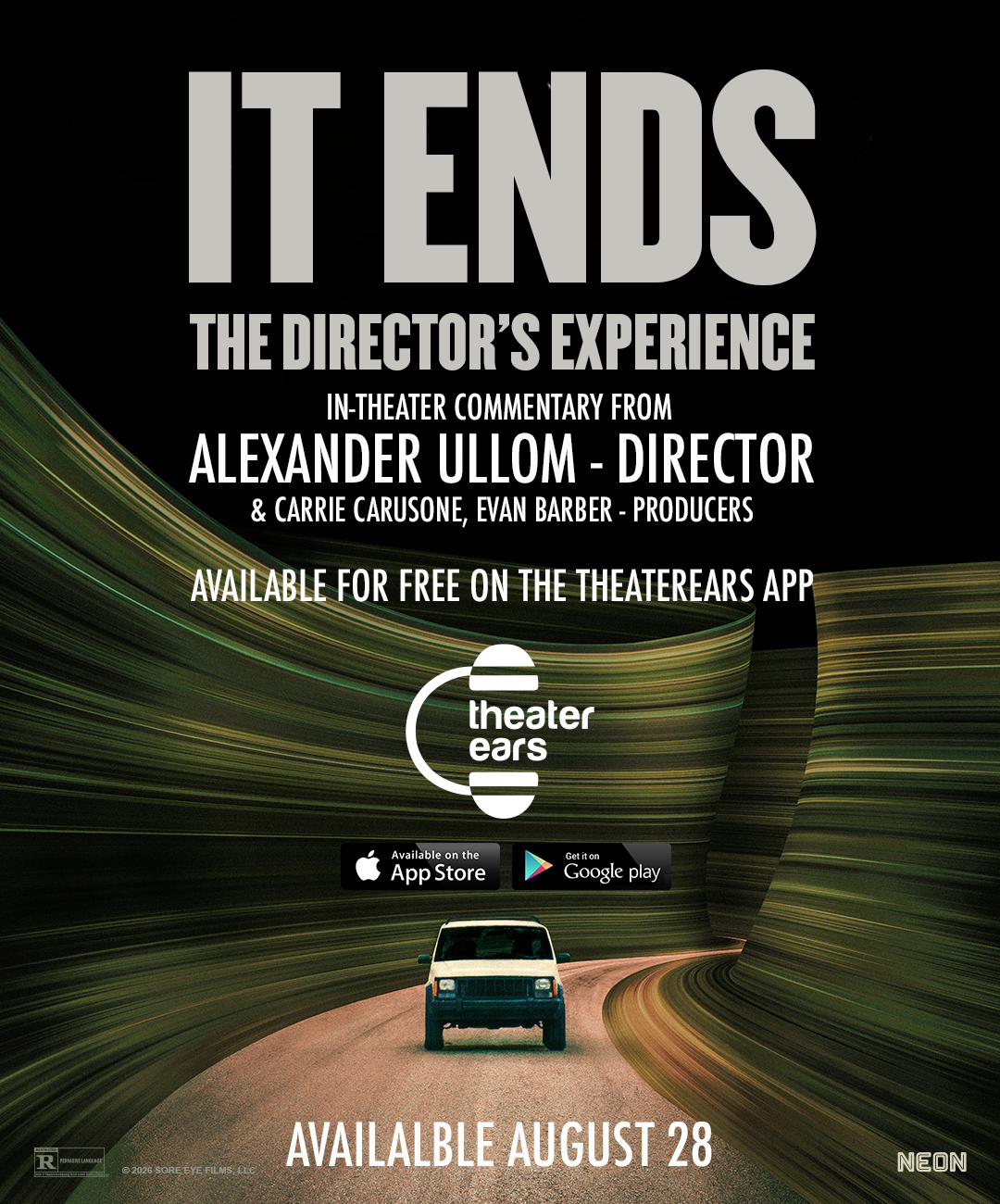
How to Watch Movies in Spanish at Caribbean Cinemas Puerto Rico with TheaterEars
If you want to watch movies in Spanish at Caribbean Cinemas in Puerto Rico, you have more options than simply searching the showtimes for a screening marked Español.
Caribbean Cinemas already serves one of the largest Spanish-speaking moviegoing audiences in the United States and its territories, and its website includes a SPANISH filter among the presentation options available for movie listings.
But what if the movie you want to see is playing at your preferred Caribbean Cinemas location and the showtime that works best for you is not the Spanish-language presentation?
That is where TheaterEars comes in.
TheaterEars specifically identifies Caribbean Cinemas among the theaters where its service works in Puerto Rico. The TheaterEars app allows moviegoers to listen to the available Spanish-language soundtrack for supported movies through their own smartphone and headphones while the movie plays on the theater screen.
So whether you searched for:
Caribbean Cinemas Spanish Dubbed movies
Caribbean Cinemas movies Dubbed in Spanish
Caribbean Cinemas En Español
Caribbean Cinemas Doblado en Español
Caribbean Cinemas Doblado Español
or simply:
How can I watch a movie in Spanish at Caribbean Cinemas?
TheaterEars gives you another way to experience supported new releases in Spanish at Caribbean Cinemas locations across Puerto Rico.
Does Caribbean Cinemas Show Movies in Spanish?
Yes.
Caribbean Cinemas regularly operates in Spanish-speaking markets and its Puerto Rico movie pages include SPANISH as a presentation filter alongside formats such as IMAX, 4D, Premium, ScreenX, Atmos, VIP, 3D and 2D.
Historically, Caribbean Cinemas has also scheduled different language versions of major Hollywood releases.
For example, archived Caribbean Cinemas programming for Rogue One: A Star Wars Story separately identified screenings as ESPAÑOL and Inglés Subtitulada, demonstrating the distinction the chain makes between a Spanish-language presentation and an English presentation with subtitles.
That distinction remains important today.
If you see a showtime marked Spanish or Español, check the details of that presentation before purchasing your ticket.
But if you cannot find a convenient Spanish Dubbed showtime for the movie you want, TheaterEars may give you another option.
TheaterEars Works at Caribbean Cinemas in Puerto Rico
TheaterEars explicitly states that it works at major movie theaters throughout Puerto Rico, including Caribbean Cinemas.
Its current theater guide specifically names Caribbean Cinemas as Puerto Rico's largest theater chain and references locations in areas including San Juan, Bayamón, Ponce, Mayagüez, Carolina and Caguas.
This is important because TheaterEars does not require a special Spanish soundtrack to be played through the auditorium speakers.
Instead, the Spanish audio is delivered privately to the TheaterEars user.
You bring your own phone.
You bring your own earbuds or headphones.
You select the supported movie, theater and showtime.
Then TheaterEars synchronizes the Spanish-language soundtrack with the movie playing on screen.
How to Watch a Movie Spanish Dubbed at Caribbean Cinemas
Using TheaterEars at Caribbean Cinemas is designed to be simple.
1. Choose Your Caribbean Cinemas Location
Start by finding the Caribbean Cinemas theater where you want to see the movie.
Caribbean Cinemas currently operates a large network across Puerto Rico. Its official theater directory includes locations such as:
Aguadilla
Arecibo
Barceloneta
Dorado
Fajardo
Fine Arts Miramar
Fine Arts Popular
Guayama
Las Catalinas
Las Piedras
Metro Cinemas
Montehiedra
Plaza Cayey
Plaza Carolina
Plaza del Caribe
Plaza del Norte
Plaza del Sol
Plaza Escorial
Plaza Guaynabo
Plaza Isabela
Plaza Las Américas
Ponce Towne
Rio Hondo
San Patricio
Choose your location and find the movie and showtime that work best for you.
2. Check TheaterEars for the Movie
Next, open TheaterEars.
TheaterEars is designed for theatrical movie audio and currently advertises Spanish-language movie content in the United States and Puerto Rico.
Search for the movie you plan to see.
Do not assume every movie at Caribbean Cinemas automatically has a TheaterEars Spanish track.
Availability depends on the individual title.
If the movie appears with Spanish audio available, continue with the setup.
3. Select Your Movie, Theater and Showtime
Inside TheaterEars, select the movie and the appropriate Caribbean Cinemas showing.
The app's current description tells users to select the movie, showtime and language before getting the movie track onto their phone.
Make sure the theater and showtime match the ticket you purchased.
This matters because TheaterEars is designed to synchronize with the theatrical presentation you are actually attending.
4. Choose Spanish
Select Spanish as your language.
TheaterEars then prepares the corresponding Spanish-language soundtrack for the supported movie.
This is the part that matters for people searching for terms such as:
Spanish Dubbed
Dubbed in Spanish
En Español
Doblado en Español
and
Doblado Español
The goal is spoken Spanish-language movie audio—not simply subtitles.
5. Get the Audio Track Before the Movie Begins
Prepare the Spanish audio before the feature starts.
TheaterEars recommends downloading and setting up the app before arriving at the theater whenever possible. Its App Store listing instructs users to select the movie, showtime and language so that the movie track is ready on the phone.
Preparing early means you can spend less time looking at your phone once the movie starts.
6. Bring Your Own Headphones or Earbuds
You will need headphones or earbuds compatible with your phone.
Before leaving for Caribbean Cinemas, make sure:
Your phone is charged.
Your headphones are charged if they use Bluetooth.
Your Bluetooth connection is working.
Both earbuds produce sound.
TheaterEars is installed.
Your movie appears in the app.
Spanish audio is available.
You selected the correct Caribbean Cinemas location.
You selected the right showtime.
That preparation can prevent an avoidable technical problem once the movie starts.
7. Press Play at the Movie Theater
When the feature begins, open TheaterEars and start playback.
TheaterEars uses your phone's microphone to recognize the movie playing in the auditorium. It then synchronizes the Spanish soundtrack with the presentation on screen.
Once synchronized, listen through your headphones and enjoy the movie.
The rest of the Caribbean Cinemas auditorium continues hearing its normal soundtrack.
Caribbean Cinemas Spanish Dubbed vs. TheaterEars: What Is the Difference?
There are two distinct ways you might watch a Hollywood movie in Spanish at Caribbean Cinemas.
A Dedicated Spanish Dubbed Screening
In this type of presentation, the Spanish soundtrack is played through the theater's main speakers.
Everyone attending that showing hears the movie in Spanish.
Caribbean Cinemas' own website recognizes Spanish as a presentation category, and its historical listings demonstrate that the chain can separately schedule Spanish and subtitled versions of a movie.
TheaterEars
With TheaterEars, the Spanish soundtrack is personal.
You hear it through your own headphones.
Other people inside the auditorium hear the regular soundtrack.
This can make TheaterEars particularly useful when the Spanish-language presentation and the showtime your family wants are not the same.
Can My Family Watch a Movie Together in English and Spanish?
Yes.
This is one of the biggest advantages of the TheaterEars model.
Imagine a family in Puerto Rico where some members want to watch the original English-language presentation while another family member prefers the movie Doblada en Español.
A dedicated Spanish screening means everyone attending that auditorium hears Spanish.
A regular English showing means everyone hears English.
TheaterEars makes the language choice individual.
One family member can listen in Spanish through TheaterEars.
The others can hear the regular theater presentation.
Everyone still sits together.
Everyone sees the same screen.
Everyone experiences the same movie and showtime.
That ability to keep families together despite different language preferences has been part of TheaterEars' mission since the company was created. TheaterEars describes its origins around a family member who loved movies but was unable to fully participate in family movie nights because she did not speak English.
Why TheaterEars Is Especially Relevant in Puerto Rico
Puerto Rico presents a somewhat different moviegoing environment from many mainland U.S. markets.
Spanish is deeply integrated into everyday life, but major Hollywood releases may still be distributed in different language configurations depending on the movie, theater and showtime.
Caribbean Cinemas' own listings recognize presentation differences such as Spanish and English with subtitles.
That means the issue for many moviegoers is not simply:
“Can I find this movie in Spanish somewhere?”
The more practical question may be:
“Can I watch this movie in Spanish at the Caribbean Cinemas location and showtime that I actually want?”
That is where TheaterEars can add flexibility.
Can I Use TheaterEars at Caribbean Cinemas Plaza Las Américas?
TheaterEars lists Caribbean Cinemas among its supported Puerto Rico theater chains, and Caribbean Cinemas currently operates Plaza Las Américas in San Juan.
For any specific movie, check TheaterEars first to confirm that the Spanish track is available.
Does TheaterEars Work at Caribbean Cinemas Montehiedra?
Caribbean Cinemas currently operates Montehiedra in San Juan, and TheaterEars states that it works at Caribbean Cinemas locations in Puerto Rico.
Again, movie availability is determined title by title.
Can I Watch Movies in Spanish at Caribbean Cinemas Plaza del Caribe?
Caribbean Cinemas Plaza del Caribe is located in Ponce and remains part of the chain's Puerto Rico theater network.
For a supported TheaterEars title, moviegoers can check the app for Spanish-language audio and the corresponding showtime.
What About Caribbean Cinemas in Bayamón?
Caribbean Cinemas operates theaters including Plaza del Sol and Rio Hondo in Bayamón.
TheaterEars specifically includes Bayamón among the Puerto Rico markets where Caribbean Cinemas locations are supported.
Check the particular movie in TheaterEars before heading to the theater.
Can I Use TheaterEars at Caribbean Cinemas in Ponce?
Yes, for supported titles.
Caribbean Cinemas operates locations including Plaza del Caribe and Ponce Towne, and TheaterEars explicitly references Ponce among the Puerto Rico cities where Caribbean Cinemas and TheaterEars can be used together.
Does TheaterEars Work at Caribbean Cinemas Outside Puerto Rico?
This is where an important distinction needs to be made.
Caribbean Cinemas is much larger than Puerto Rico.
Its current website lists operations in markets including Antigua, Aruba, Curaçao, Guadeloupe, Guatemala, Guyana, St. Croix, St. Kitts, St. Lucia, St. Maarten, Panama, St. Thomas, Trinidad and the Dominican Republic.
However, TheaterEars' current Spanish-language app listings identify content availability in the United States and Puerto Rico.
For that reason, this guide specifically applies to Caribbean Cinemas in Puerto Rico.
Do not assume that Spanish TheaterEars tracks are currently available at a Caribbean Cinemas location in another country simply because the theater belongs to the same chain.
Spanish Dubbed vs. Spanish Subtitles at Caribbean Cinemas
These phrases can be confusing, especially because Caribbean Cinemas serves audiences who regularly encounter both Spanish and English presentations.
Spanish Dubbed / Dubbed in Spanish / Doblado en Español means the spoken dialogue is in Spanish.
English Subtitled / Inglés Subtitulada generally means the movie's spoken dialogue remains in English while subtitles are displayed.
Caribbean Cinemas has historically distinguished between these formats in its schedules.
For someone specifically searching:
Caribbean Cinemas Doblado en Español
the important word is Doblado.
You are looking to hear the dialogue in Spanish.
TheaterEars is designed to provide synchronized movie audio rather than forcing the viewer to rely solely on reading subtitles.
Why Some Moviegoers Prefer Doblado en Español
Subtitles are a perfectly good option for many people.
But they are not ideal for everyone.
Children may not read quickly enough to keep up with dialogue.
Older family members may prefer hearing Spanish rather than spending two hours reading translated text.
And action movies can move quickly enough that watching subtitles sometimes means missing details elsewhere on the screen.
Listening to the movie Doblado en Español allows the viewer to keep their eyes on the image.
That can be particularly valuable for animated movies, superhero films, action movies and family releases where much of the experience comes from what is happening visually.
What Movies Can I Watch in Spanish at Caribbean Cinemas with TheaterEars?
The supported lineup changes as new theatrical releases arrive.
TheaterEars has historically worked with major studio releases and says its platform delivers synchronized multilingual audio for theatrical films. The service is available throughout Puerto Rico.
The easiest approach is:
First: Find the movie at Caribbean Cinemas.
Second: Choose the theater and showtime you want.
Third: Open TheaterEars.
Fourth: Find the movie.
Fifth: Confirm that Spanish audio is available.
Sixth: Prepare the track and your headphones before the movie begins.
If the title is supported, you can use TheaterEars to hear it in Spanish.
Can I Use TheaterEars for a New Movie on Opening Weekend?
For supported releases, yes.
TheaterEars has repeatedly made Spanish-language audio available for major new theatrical movies in the United States and Puerto Rico. For example, Disney and TheaterEars previously announced Spanish audio for Incredibles 2 across movie theaters in both markets.
Always verify the current movie inside TheaterEars before buying a ticket specifically to use the Spanish track.
TheaterEars Checklist Before Going to Caribbean Cinemas
Before leaving for the theater, make sure:
TheaterEars is installed.
Your TheaterEars account is ready.
Your movie is available.
Spanish is selected.
You have chosen the correct Caribbean Cinemas theater.
Your showtime matches your ticket.
The movie track is ready.
Your phone is charged.
Your headphones or earbuds are charged.
Bluetooth is connected if needed.
Your Caribbean Cinemas ticket is ready.
Then arrive early enough to get seated and prepare before the feature starts.
Frequently Asked Questions About Caribbean Cinemas and TheaterEars
Can I watch movies in Spanish at Caribbean Cinemas?
Yes. Caribbean Cinemas offers Spanish-language presentation options for some movies, and TheaterEars provides Spanish-language audio for supported films at Caribbean Cinemas locations in Puerto Rico.
Does TheaterEars work at Caribbean Cinemas?
Yes. TheaterEars specifically names Caribbean Cinemas among the major theaters it supports in Puerto Rico.
How can I watch a movie Spanish Dubbed at Caribbean Cinemas?
Check TheaterEars for the movie, select your Caribbean Cinemas theater and showtime, choose Spanish, prepare the track and listen through your headphones while the movie plays.
¿Puedo ver películas Dobladas en Español en Caribbean Cinemas?
Sí. Caribbean Cinemas ofrece algunas funciones en español, y TheaterEars permite escuchar películas compatibles Dobladas en Español mediante tu teléfono y audífonos en Caribbean Cinemas de Puerto Rico.
Can my family watch the movie in English while I listen in Spanish?
Yes. TheaterEars plays the selected Spanish audio through your headphones, so the rest of your family can continue listening to the normal auditorium soundtrack.
Does TheaterEars work in Puerto Rico?
Yes. TheaterEars explicitly lists Puerto Rico as a supported market, and its current app listings state that Spanish movie content is available in the United States and Puerto Rico.
Does TheaterEars work at Plaza Las Américas?
TheaterEars supports Caribbean Cinemas in Puerto Rico, and Plaza Las Américas is a current Caribbean Cinemas location. Confirm your individual movie and showtime in the TheaterEars app before attending.
Does TheaterEars work at Montehiedra?
TheaterEars identifies Caribbean Cinemas as supported in Puerto Rico, and Montehiedra is part of Caribbean Cinemas' current Puerto Rico network. Check your movie in the app for current Spanish-audio availability.
Is Spanish Dubbed the same as subtitled?
No. Spanish Dubbed / Doblado en Español means the spoken dialogue is in Spanish. A subtitled presentation keeps another spoken language while displaying translated text.
Does every movie at Caribbean Cinemas work with TheaterEars?
No. TheaterEars compatibility with Caribbean Cinemas does not mean every movie automatically has a Spanish track. Always check the individual title.
Does TheaterEars work at Caribbean Cinemas in the Dominican Republic?
This article applies specifically to Puerto Rico. TheaterEars' current Spanish-audio app listings identify availability in the United States and Puerto Rico, so availability at Caribbean Cinemas in other countries should not be assumed.
The Bottom Line: Watching Movies in Spanish at Caribbean Cinemas Puerto Rico
If you are searching for:
movies in Spanish at Caribbean Cinemas
Caribbean Cinemas Spanish Dubbed movies
Caribbean Cinemas Dubbed in Spanish
Caribbean Cinemas En Español
Caribbean Cinemas Doblado en Español
Caribbean Cinemas Doblado Español
or
TheaterEars Caribbean Cinemas Puerto Rico
you have two things worth checking.
First, look at the Caribbean Cinemas schedule to see whether the theater offers the Spanish-language presentation you want.
Then check TheaterEars.
TheaterEars specifically supports Caribbean Cinemas in Puerto Rico and gives moviegoers another way to hear supported theatrical releases in Spanish through their own phone and headphones.
That can be especially helpful for families who do not all prefer the same language.
One family member can listen En Español.
Another can hear the regular theater soundtrack.
A parent can enjoy the movie Doblada en Español.
Their children can watch it in English.
And everyone can still go to the same Caribbean Cinemas location, buy tickets for the same showtime and sit together.
Puerto Rico already has a strong moviegoing culture and a large Caribbean Cinemas footprint.
TheaterEars adds another choice to that experience.
So instead of asking only:
“Is there a Spanish Dubbed showing at Caribbean Cinemas?”
ask:
“Is this movie available in Spanish on TheaterEars?”
For supported films at Caribbean Cinemas in Puerto Rico, the answer can give you a much more flexible way to enjoy movie night in the language you prefer.